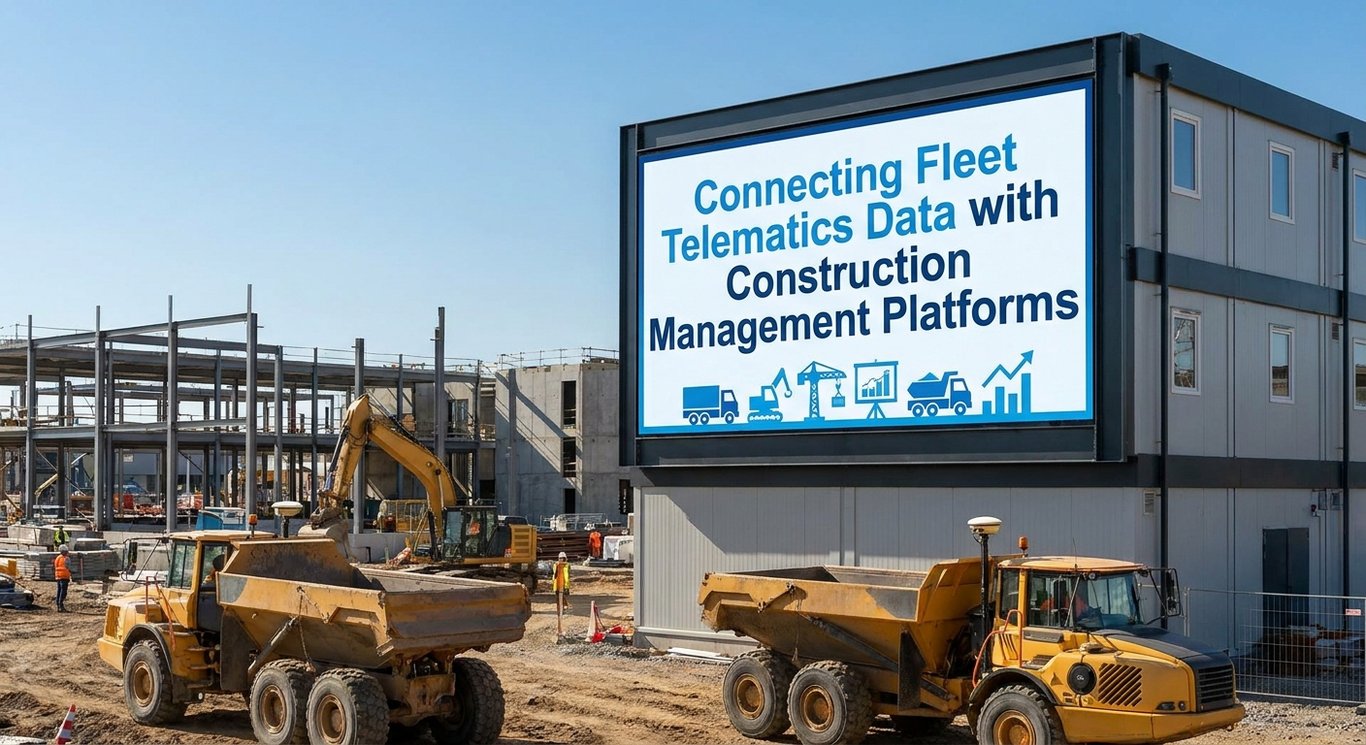
Construction companies operate in one of the most data-rich environments imaginable – yet so much of that data never gets used effectively. 🚧 Fleet telematics systems are constantly generating streams of information about equipment location, fuel consumption, engine hours, and mechanical health. At the same time, construction management platforms are tracking project schedules, budgets, work orders, and labor costs. When these two worlds stay separate, companies end up with data gaps that cost real money: missed maintenance, underused equipment, inaccurate job costs, and managers making decisions based on guesswork instead of facts.
The good news is that integrating fleet telematics with construction management platforms is no longer a futuristic concept – it’s a practical strategy that forward-thinking contractors are already putting to work. By connecting equipment data with project workflows, companies can tie every engine hour, every fuel fill-up, and every fault code directly to the jobs, teams, and cost codes that matter most. This article walks through what that integration looks like, how it works technically, what data should flow between systems, and how to build a roadmap that actually delivers results across maintenance, financial reporting, resource planning, and safety.
What Is Fleet Telematics in Construction?
Fleet telematics is the technology that makes equipment “talk.” At its core, telematics combines GPS receivers, onboard sensors, engine diagnostic interfaces, cellular or satellite connectivity, and cloud-based software into a single system that continuously monitors and reports on how a machine is operating. A telematics device installed on a piece of construction equipment reads data directly from the machine’s electronic control modules, packages it, and sends it to a cloud platform where fleet managers can view it through dashboards, reports, and alerts. The result is a live picture of what every connected asset is doing, where it is, and how it’s performing – without anyone having to physically inspect the machine or manually record data.
The types of information that telematics systems collect are surprisingly detailed. Location data updates in near real time, giving dispatchers and project managers a map view of every connected asset. Engine hours track how long a machine has been running, which is critical for usage-based maintenance. Mileage and odometer readings are captured automatically. Fuel consumption and fuel level data reveal inefficiencies and support cost tracking. Idle time reports show how long equipment runs without doing productive work. Fault codes and diagnostic trouble codes flag mechanical issues before they become breakdowns. Operator activity data – such as ignition events, login records, and shift patterns – can help managers understand how equipment is being used day to day. Together, these data points create a detailed operational record that goes far beyond what any paper log or manual spreadsheet could capture. 📊
Types of Equipment and Vehicles That Can Be Connected
One of the most practical advantages of modern telematics is how broadly it applies across a construction fleet. Trucks and pickups are obvious candidates, but the technology extends well beyond the highway. Excavators, wheel loaders, bulldozers, motor graders, and compactors can all be connected through OEM telematics ports or aftermarket devices. Cranes, generators, light towers, and compressors – even those that don’t move under their own power – can be monitored for runtime and fuel use. Trailers can carry GPS trackers to confirm their location and detect unauthorized movement. Compact equipment like skid steers and mini excavators can be retrofitted with telematics hardware even when they lack factory-installed systems. Mixed-brand fleets, which are the reality for most contractors, can be managed through telematics platforms that aggregate data from multiple manufacturers into a single interface, making brand diversity far less of an obstacle than it once was.
What Are Construction Management Platforms?
Construction management platforms are the operational backbone of a modern construction business. These software systems coordinate nearly every aspect of running a project: scheduling and sequencing work, tracking budgets and actual costs, managing contracts and documents, generating and assigning work orders, recording labor time, handling procurement and subcontractor coordination, enforcing safety requirements, and connecting field teams with the office. Leading platforms often include modules for accounting, project management, estimating, and field reporting – all designed to give project managers, executives, and support staff a shared view of how a job is progressing relative to plan.
When fleet data lives in a separate telematics silo, it can’t contribute to any of those workflows. An equipment hour logged in a telematics platform doesn’t automatically update a project’s cost code or trigger a maintenance work order. A machine sitting idle at the wrong jobsite doesn’t show up on a project schedule. A fuel purchase doesn’t flow into job costing. But when telematics data is connected to a construction management platform, every data point gains context. Equipment hours become project costs. Location data confirms jobsite presence. Fault codes trigger maintenance actions tied to specific assets and crews. That context is what transforms raw telemetry into genuine business intelligence. 💡
Key Platform Workflows That Benefit from Fleet Data
The workflows inside a construction management platform that stand to gain the most from telematics integration are the ones that currently rely on manual data collection. Scheduling and equipment assignment become more accurate when managers can see real-time availability and location. Daily field reports can be pre-populated with verified machine hours instead of relying on operator estimates. Cost tracking improves when actual fuel use and runtime are automatically posted to the correct cost codes. Maintenance modules can generate work orders based on engine hours rather than calendar dates. Dispatch teams can make smarter decisions when they know exactly where every asset is and how heavily it’s being used. Compliance tracking – including inspection records and hours-of-service documentation where applicable – benefits from automated data capture. Even project forecasting improves when historical equipment utilization data informs future estimates.
Why Integrate Fleet Telematics with Construction Management Software?
The case for integration starts with a simple, frustrating reality: manual data entry is slow, error-prone, and expensive. When equipment hours have to be hand-keyed into a project management system, they often arrive late, get rounded to the nearest whole number, or get assigned to the wrong job. Fuel receipts get lost. Maintenance records fall behind because no one remembered to check the hour meter. Operators fill out paper logs that may or may not reflect what the machine actually did. All of this manual friction means that the data driving project costs, maintenance schedules, and equipment decisions is often incomplete, delayed, or just plain wrong.
Integration solves this by creating a direct, automated flow of information between the telematics system and the construction management platform. Equipment hours recorded by the telematics device flow into the project system without anyone typing them. Fuel consumption data posts automatically. Maintenance alerts trigger work orders without a mechanic having to remember to check a schedule. When the same data is available to project managers, fleet managers, and accounting staff at the same time – without anyone having to request a report or wait for a weekly update – the entire organization gains a shared operational view that makes coordination faster and decisions more reliable. 🔄
Beyond accuracy and efficiency, near-real-time data opens up a new category of decisions that simply weren’t possible before. Managers can spot equipment that’s been sitting idle for three days and reassign it to a project that’s been waiting on a machine. They can see that a particular jobsite is running behind because a key piece of equipment is down, and coordinate a replacement before the delay compounds. They can compare utilization rates across a region and identify patterns – certain equipment types consistently underused, certain jobsites consistently over-renting – that point to meaningful cost-reduction opportunities. The shift from estimates to actual operating data is one of the most significant competitive advantages integration can deliver.
Which Telematics Data Should Flow into a Construction Platform?
Not all telematics data is equally valuable for construction management purposes, so it’s worth being deliberate about what gets synchronized between systems. The highest-priority data categories typically include GPS position, engine hours, mileage, runtime, idle time, fuel levels, and fuel consumption. Ignition status – whether a machine is on or off – matters for confirming jobsite activity and automating time records. Odometer readings support mileage-based maintenance for trucks and other road vehicles. Utilization percentage, often calculated as the ratio of productive runtime to available hours, is one of the most actionable metrics a fleet manager can track. These data points, when flowing automatically into a construction platform, form the foundation of an integrated operational picture.
Diagnostic and fault code data rounds out the picture on the equipment health side. When a machine generates a fault code – whether it’s a minor sensor warning or a serious engine alert – that information needs to reach the right people quickly. In an integrated environment, a fault code can automatically create a maintenance work order, notify a technician, and update the equipment’s status in the project schedule so that the project manager knows the machine may be temporarily unavailable. Combining utilization data with diagnostic data gives fleet managers a much more complete view: not just how much a machine is being used, but whether it’s being used safely and within its designed operating parameters. ⚙️
“The AEMP API helps both construction companies and OEMs optimize mixed fleet management by standardizing telematics data across different brands.” -Proemion
Location and Geofencing Data
Location data is one of the most immediately useful data types for construction operations. When a telematics system knows where every asset is, it can automatically confirm whether a machine is present at the jobsite it’s supposed to be at – and flag it if it isn’t. Geofences, which are virtual boundaries drawn around a jobsite or storage yard, can trigger automatic arrival and departure records, eliminating the need for manual check-ins. Dispatch teams can see exactly where a machine is before routing it to a new location. Unauthorized movement – a machine leaving a jobsite after hours or on a weekend – triggers an immediate alert that can support theft response and asset recovery. Over time, location history also provides a useful audit trail for project documentation and insurance purposes.
Usage and Utilization Data
Runtime, idle time, cycle activity, and cumulative operating hours are the metrics that reveal how hard equipment is actually working – and how much of that work is productive. A machine that logs eight hours of engine time but six of those hours at idle is not contributing six hours of productive work to the project. Utilization reports that break down active versus idle time help managers identify equipment that’s being left running unnecessarily, costing fuel and accelerating wear without adding value. On the flip side, low overall utilization – a machine that’s only running two or three hours a day on a project that could use it more – signals a reallocation opportunity. These insights are most powerful when they flow into the construction platform where project managers can act on them directly.
Maintenance and Diagnostic Data
Fault codes, service interval data, engine hours, and equipment health indicators are the telematics inputs that make usage-based maintenance possible. Instead of scheduling an oil change every 30 days regardless of how much the machine has actually run, an integrated system can trigger a maintenance alert when the engine reaches a specific hour threshold – and automatically create a work order in the construction management platform with the asset details, service type, and recommended parts. Technicians receive the work order through the platform, complete the service, and update the record – all without anyone manually tracking a spreadsheet. This kind of automated, data-driven maintenance workflow reduces the risk of missed service intervals and extends equipment life. 🔧
How Does the Integration Work Technically?
At the technical level, connecting a telematics system to a construction management platform involves moving data from one software environment to another in a structured, reliable way. The most common mechanisms are application programming interfaces (APIs), webhooks, and prebuilt software connectors. An API is essentially a set of rules that allows two software systems to request and exchange data with each other. A telematics provider might offer an API endpoint where a construction platform can request the latest engine hours for a specific asset, and the telematics system responds with the current value. Webhooks work in the opposite direction: the telematics system pushes data to the construction platform automatically when a specified event occurs, such as a fault code being generated or a geofence being crossed. Data synchronization schedules – hourly, daily, or near real time – determine how fresh the data is when it arrives in the construction platform.
The journey data takes from a machine to a construction platform typically follows a clear path. An onboard telematics device reads sensor and diagnostic data from the machine’s electronic systems and transmits it via cellular or satellite connection to the telematics provider’s cloud platform. From there, an integration layer – whether an API connection, a middleware service, or a prebuilt connector – retrieves or receives that data and maps it to the corresponding records in the construction management platform. Asset IDs need to match, project codes need to align, and data fields need to be translated into the format the receiving system expects. When this pipeline is well-designed and properly maintained, data flows continuously without manual intervention, giving everyone in the organization access to current, accurate equipment information. 🌐
API-Based Integrations
API-based integrations are the most flexible and powerful option for connecting telematics and construction platforms. A well-documented API allows developers to pull specific data fields – engine hours, GPS coordinates, fault codes – at defined intervals or in response to specific triggers. Authentication protocols, such as OAuth tokens or API keys, ensure that only authorized systems can access the data. Rate limits control how frequently requests can be made, which matters when managing a large fleet with frequent updates. Error handling – what happens when a request fails or a device goes offline – needs to be built into the integration to prevent data gaps. Before committing to an API-based approach, it’s essential to confirm that both the telematics provider and the construction platform support the specific data fields and update frequencies the business requires.
Prebuilt Connectors and Marketplace Integrations
For many construction companies, a prebuilt connector is the most practical path to integration. These connectors are developed and maintained by either the telematics vendor, the construction software vendor, or a third-party integration platform, and they handle the technical complexity of the API connection behind the scenes. The benefits are significant: deployment is faster, development costs are lower, vendor support is available when something breaks, and upgrades to either platform are more likely to be handled automatically. When a prebuilt connector exists between your telematics provider and your construction management platform, it’s usually worth starting there rather than building a custom solution from scratch – especially for companies without dedicated software development resources.
“Through the telematics API or application programming interface, which complies with the ISO 15143-3 (AEMP 2.0) standard, manufacturers can provide operational data about machines on the jobsite to owners, third-party fleet management software providers, other OEMs, and dealers.” -CONEXPO-CON/AGG
Custom Middleware and Data Warehouses
Some construction companies – particularly larger enterprises with complex fleets, multiple telematics vendors, or deep integrations with ERP and accounting systems – need more than a prebuilt connector can offer. In these cases, custom middleware or a centralized data warehouse becomes the right approach. Middleware sits between the telematics and construction systems, handling data transformation, field mapping, validation, and routing. A data warehouse goes further, aggregating information from multiple telematics providers, construction platforms, accounting systems, and other sources into a single repository that supports advanced reporting, custom dashboards, and business intelligence tools. This approach requires more investment upfront but provides greater flexibility, better data governance, and the ability to support integrations that no prebuilt connector currently covers.
How to Map Fleet Assets to Projects, Jobsites, and Cost Codes
Technical connectivity is only half the battle – the other half is making sure that the data flowing between systems actually maps to the right records on both sides. This requires consistent, well-maintained identifiers across every system that touches equipment data. Asset IDs, equipment names, serial numbers, and vehicle identification numbers need to match between the telematics platform and the construction management system. Project codes, jobsite records, and cost codes need to be defined consistently so that equipment hours can be posted to the correct budget line. Operator identifiers – whether login IDs, badge numbers, or names – need to align so that operator-level data can be attributed correctly. Without this mapping discipline, the integration will produce data, but it won’t be trustworthy enough to use for billing, performance evaluation, or project costing.
[cta-call:Call2]
Poor asset mapping creates a cascade of problems that can be surprisingly difficult to untangle. A machine that exists under two different names in two different systems will generate duplicate records, split its hours between phantom assets, and produce utilization reports that make no sense. Equipment hours posted to the wrong project inflate one job’s costs while leaving another job’s records incomplete. Rental decisions get made based on availability data that doesn’t account for a machine that’s actually sitting idle under a different name. The investment in cleaning up asset records before an integration goes live – and maintaining that cleanliness afterward – pays dividends in data reliability that affects every downstream workflow. 🗂️
Creating a Master Asset Directory
The most effective way to prevent mapping problems is to establish a single, authoritative asset directory that serves as the source of truth for the entire organization. This master record should include the asset’s official name, make, model, year, serial number, VIN, telematics device ID, current maintenance status, assigned project or jobsite, and responsible department or cost center. Every other system – telematics platform, construction management software, accounting, ERP – should reference this master record rather than maintaining its own independent asset list. When a new piece of equipment joins the fleet, it gets added to the master directory first, and those identifiers propagate to all connected systems. This single-source approach eliminates the duplication and inconsistency that undermine integration quality.
Handling Equipment Transfers Between Jobsites
Equipment moves constantly in construction, and every move is an opportunity for project records to get out of sync. When a machine leaves one jobsite and arrives at another, the integration needs to reflect that change – and ideally, it should happen automatically rather than requiring manual updates in multiple systems. Geofencing can detect when a machine exits one project boundary and enters another, triggering an automatic reassignment in the construction platform. Dispatch workflows can include a formal transfer step that updates the asset’s project assignment as part of the move authorization. Approval workflows can require a project manager’s confirmation before hours start posting to the new job. The goal is to make equipment transfers visible and trackable so that project cost records stay accurate even when the fleet is constantly in motion.
Using Integrated Data for Preventive and Predictive Maintenance
Calendar-based maintenance – changing the oil every three months, inspecting the filters every 30 days – makes sense for equipment that runs at a consistent pace. But construction equipment doesn’t run at a consistent pace. A machine might log 300 hours in one month on a demanding earthmoving project, then sit at 20 hours the next month during a slow period. A calendar-based schedule would either over-maintain the slow months or under-maintain the busy ones. Usage-based maintenance, driven by actual engine hours from telematics, solves this problem by triggering service intervals based on how much a machine has actually worked. When telematics data flows automatically into a construction management platform’s maintenance module, service alerts are generated at exactly the right time, work orders are created with the correct asset details, and technicians are notified without anyone having to manually check hour meters. 🛠️
Beyond preventive maintenance, integrated telematics data also supports parts planning and service history management in ways that improve overall fleet reliability. When a work order is created automatically based on engine hours, the maintenance module can simultaneously check parts inventory, flag any items that need to be ordered, and schedule technician time. After the service is completed, the record is tied to the specific asset and the specific hour count at which the service occurred – creating a detailed, searchable service history that supports warranty claims, resale valuation, and long-term maintenance planning. The result is a maintenance operation that’s more proactive, better organized, and less dependent on individual memory or paper-based systems.
“Of fleets that use machine data, whether in-house or through in partnerships with dealers, the monitoring of machine hours and/or fuel consumption has become the most popular application, with three-fourths of respondents indicating that they use that data.” -Construction Equipment
Predictive maintenance takes things a step further by using patterns in telematics data to anticipate failures before they happen. Fault codes that appear repeatedly before a known failure mode, abnormal temperature readings, unusual fuel consumption spikes, and battery condition trends can all serve as early warning indicators when analyzed correctly. Some telematics platforms and construction software vendors are beginning to offer machine-learning-based alerts that flag equipment showing patterns associated with upcoming failures. It’s worth noting, though, that predictive maintenance is only as good as the data quality feeding it, and technician judgment remains essential – an algorithm can flag an anomaly, but an experienced mechanic determines what it actually means and what action to take. ⚠️
Improving Equipment Utilization, Dispatch, and Resource Planning
One of the most tangible benefits of telematics integration is the ability to see – clearly and quickly – which equipment is working hard and which equipment is sitting idle. When utilization data flows into a construction management platform, fleet managers and project managers can compare availability, runtime, idle time, and location across the entire fleet at once. A machine that’s been parked at a jobsite for a week while another project is renting equivalent equipment at significant daily cost is exactly the kind of inefficiency that integrated data makes visible. Managers who previously had to call around to multiple sites to find available equipment can now see the full picture in a dashboard and make reallocation decisions in minutes rather than hours.
Resource planning also improves significantly when dispatch decisions are based on real data rather than estimates. When a project manager requests a piece of equipment, the dispatcher can see exactly where every compatible asset is, how much it has been used recently, whether any maintenance is due, and how long it would take to transport it to the new location. This level of visibility reduces the knee-jerk response of renting equipment that the company already owns – often the most expensive decision a fleet manager can make. It also helps with delivery coordination, ensuring that equipment arrives at a jobsite when it’s actually needed rather than days early, where it would sit idle and accumulate unnecessary costs. 🏗️
Reducing Idle Time and Fuel Waste
Idle time is one of the most persistent and underappreciated sources of waste in construction fleet operations. An excavator running at idle burns fuel, accumulates engine hours that count toward maintenance intervals, and contributes to emissions – all without doing any productive work. When telematics data reveals that a particular machine or operator consistently logs high idle percentages, supervisors have a concrete, data-backed starting point for a coaching conversation. Idle-time reports can also reveal scheduling inefficiencies – equipment that’s running because an operator arrived before materials were ready, or a machine that’s left running during lunch breaks out of habit. Fuel consumption trends, tracked over time and correlated with project activity, help estimators build more accurate equipment cost assumptions into future bids.
Connecting Telematics Data to Project Costs and Financial Reporting
Equipment is one of the largest cost categories on most construction projects, and it’s also one of the hardest to track accurately without integrated data. When telematics feeds engine hours, mileage, fuel consumption, and utilization directly into a construction management platform, those figures can be automatically applied to the project’s cost codes using established internal charge rates. An excavator that logged 47 hours on a specific project this week generates 47 hours of equipment cost at the company’s internal rate – automatically, without anyone manually reviewing a time log or entering data from a field report. This level of automation not only saves administrative time but also produces more accurate job cost records that managers can trust when evaluating project performance. 💰
The financial benefits extend beyond individual project tracking. When equipment cost data is reliable and current, it supports better change-order analysis – if a project ran 20% more equipment hours than planned, the data is there to support a change order claim. Rental decisions become more informed because managers can compare the cost of renting against the utilization rate of owned equipment. Profitability reporting becomes more precise because equipment costs are allocated based on actual use rather than rough estimates. Over time, the historical record of equipment costs by project type, region, and season becomes a valuable input for estimating future work more competitively and accurately.
Automating Equipment Timecards
Manual equipment time entry is one of the most common sources of billing errors and project cost distortion in construction. Operators estimate their hours, round to convenient numbers, or forget to log time altogether – and by the time a project manager reviews the records, it’s too late to correct them accurately. When telematics provides verified engine hours and geofence-confirmed jobsite presence, those records can be used to automatically populate equipment timecards in the construction management platform. The result is a more consistent, auditable record of equipment time that’s tied to actual machine activity rather than human memory. This benefits both internal cost allocation and any client billing arrangements that include equipment time as a reimbursable cost.
“A recent survey from Construction Equipment magazine shows just 14% of respondents are integrating data using an ISO telematics standard while an additional 16% are using a third-party service.” -CONEXPO-CON/AGG
Improving Budget and Forecast Accuracy
Project budgets are built on assumptions, and one of the most commonly inaccurate assumptions involves equipment costs. When actual utilization and operating cost data flows from telematics into the construction platform, project managers can compare planned equipment hours against what’s actually been used at any point during the project. If equipment is running ahead of plan – perhaps because site conditions required more earthmoving than anticipated – the project manager can see that early and adjust the forecast before the overrun becomes a surprise at project closeout. This kind of early warning, driven by real data rather than end-of-month reports, gives project teams the ability to make proactive decisions that protect margins. 📈
Safety, Compliance, and Risk Management Benefits
Telematics integration contributes meaningfully to jobsite safety and regulatory compliance when implemented thoughtfully. Geofencing alerts can notify managers when equipment enters a restricted area or leaves a designated zone after hours, supporting both safety protocols and theft prevention. Speeding alerts on public roads – or even on private haul roads with posted limits – give fleet managers the data they need to address unsafe driving behavior before it results in an incident. Harsh braking, aggressive acceleration, and other driving events can be logged and reviewed as part of a driver coaching program. Unauthorized use alerts, triggered when equipment is operated outside of authorized hours or by unrecognized operators, add a layer of security and accountability that manual processes can’t match. 🦺
From a compliance standpoint, integrated telematics data creates documentation that can be invaluable in the event of an incident investigation. Knowing exactly where a machine was, how fast it was moving, what its engine status was, and whether any fault codes were active at the time of an incident provides objective information that supports accurate reporting and, when necessary, legal defense. Inspection reminders triggered by engine hours or calendar dates help ensure that required pre-operation checks are not skipped. For fleets that include commercial motor vehicles subject to hours-of-service regulations, telematics data can support electronic logging compliance. The key is treating telematics as a tool that supplements – not replaces – a strong safety culture and comprehensive training program.
Supporting Jobsite Safety
Location visibility, equipment status monitoring, operator behavior data, and maintenance records all contribute to a safer jobsite when used proactively. When a manager can see that a machine is operating in an area where workers are present, or that an operator is consistently exhibiting aggressive driving patterns, or that a piece of equipment is overdue for an inspection, they have the information needed to take corrective action before an incident occurs. It’s important to frame this data as a tool for identifying and addressing systemic risks – not as a surveillance mechanism designed to catch workers making mistakes. When field teams understand that telematics data is being used to make their work environment safer, adoption and cooperation tend to follow much more naturally.
Protecting Data Privacy and Employee Trust
Any telematics program that monitors operator behavior needs to be built on a foundation of transparency and clearly communicated policies. Employees should know exactly what data is being collected, why it’s being collected, who has access to it, how long it will be retained, and what it will and won’t be used for. Policies should be written in plain language and reviewed with workers before devices are deployed – not buried in an employment agreement. Role-based access controls should ensure that only the people who need to see specific data can access it. When companies handle telematics data with integrity and respect for worker privacy, they’re far more likely to see genuine cooperation from field teams, which is essential for getting the most out of the technology. 🔒
Challenges and Risks of Telematics Integration
Connecting telematics and construction management platforms is genuinely powerful, but it’s not without its challenges. Mixed-brand fleets – which describe most real-world construction operations – often mean dealing with multiple telematics providers, each with its own API structure, data definitions, and update frequencies. Incompatible data formats can make it difficult to aggregate information from different sources into a single coherent view. Connectivity gaps on remote jobsites can create periods where telematics data doesn’t transmit, leaving holes in the record. Inaccurate or inconsistent asset records in either system can undermine the integrity of the integration before it even goes live. Device installation issues – incorrect wiring, incompatible hardware, or devices that fall offline – create data gaps that are easy to miss until they cause a problem downstream.
Beyond the technical challenges, there are business and organizational risks to consider as well. Vendor lock-in is a real concern when a telematics provider controls proprietary data that’s difficult to export or migrate. Cybersecurity risks increase as more systems are connected and more data flows across network boundaries. Subscription costs for both telematics and construction software can add up quickly, especially when integration fees are added on top. And perhaps most importantly, resistance from field teams – operators, mechanics, and site supervisors who feel that telematics is being used to monitor them rather than help them – can undermine adoption and limit the value the organization actually realizes from the investment. 😤 Addressing these risks proactively is just as important as solving the technical integration challenges.
“The company reduced idle hours by 23,000 the first year, a savings of $1 million of which $300,000 was fuel savings.” -For Construction Pros
Data Quality and Interoperability Problems
One of the most underappreciated integration challenges is the fact that different telematics providers don’t always define the same metrics the same way. “Engine hours” might mean total hours since manufacture on one platform and hours since the last reset on another. “Idle time” might be defined as any period where the engine is running below a certain RPM on one system, and as any period where the machine is stationary with the engine running on another. “Utilization” calculations vary even more widely. Before using integrated data for billing, performance evaluation, or maintenance scheduling, it’s essential to document exactly how each provider defines each metric, validate those definitions against known ground truth, and build any necessary translation logic into the integration layer. Skipping this step can lead to decisions based on numbers that look comparable but aren’t.
Change Management and User Adoption
Technology integrations succeed or fail based on the people who use them, and telematics integration is no exception. Fleet managers, mechanics, project managers, accounting staff, and equipment operators all interact with the integrated system differently, and all of them need to understand how the new workflows affect their daily responsibilities. Stakeholder involvement during the design phase – not just at the rollout stage – helps ensure that the integration solves real problems rather than creating new ones. Role-based training should be tailored to how each group actually uses the system. Pilot testing with a small group of users before full deployment allows problems to be identified and corrected in a lower-stakes environment. Clear ownership – someone who is accountable for the integration’s ongoing performance – is essential for maintaining data quality and addressing issues as they arise over time.
How to Choose the Right Telematics and Construction Platforms
Selecting the right technology stack for a telematics integration requires evaluating both platforms against a set of criteria that goes beyond features and price. On the telematics side, the most important factors include the quality and completeness of the API documentation, the range of equipment brands and models supported, the frequency of data updates, the depth of diagnostic coverage, and the provider’s track record for uptime and data reliability. Mobile access matters for field supervisors and dispatchers who need information on the go. Security controls – encryption, access management, audit logging – should be evaluated carefully, especially for companies with sensitive project data. Total cost of ownership, including hardware, subscriptions, installation, and integration fees, should be modeled across a realistic fleet size before making a commitment.
On the construction management platform side, the integration evaluation should focus on whether the platform is built to receive automated equipment data or whether it was designed primarily for manual entry. Scalability matters – a platform that works well for a 50-machine fleet may not perform as well at 500 machines. Reporting and dashboard capabilities should support the specific KPIs the organization wants to track. Customer support quality, particularly for integration-related issues, can make a significant difference in how quickly problems get resolved. It’s also worth asking about the platform’s integration roadmap – vendors who are actively investing in connectivity are more likely to support new integrations and data types as the industry evolves. 🔍
Questions to Ask Telematics Vendors
When evaluating telematics providers, the questions that matter most for integration purposes go well beyond the standard sales conversation. Ask specifically about API access: Is it included in the standard subscription or priced separately? What data endpoints are available, and do they cover all the fields your construction platform requires? Which equipment brands and models are supported for full diagnostic data versus basic GPS only? How long is historical data retained, and can it be exported if you switch providers? What happens to data continuity when a device needs to be replaced? What are the connectivity options for remote jobsites with limited cellular coverage? What is the provider’s uptime SLA, and how are outages and data gaps handled? Are there integration fees for connecting to specific construction management platforms?
Questions to Ask Construction Software Vendors
Construction management platform vendors need to answer equally specific questions about their integration capabilities. Ask whether the platform is designed to accept automated equipment data feeds or whether telematics data has to be imported manually. Can the platform map incoming equipment hours and location data to specific projects, cost codes, and jobsites automatically? Does the maintenance module support work-order creation based on telematics triggers, such as engine hour thresholds or fault codes? How does the platform handle historical records when an asset is transferred between projects? Is there an audit trail that shows when data was received, what it contained, and whether it was modified? What integration partners does the vendor officially support, and what level of support is provided when an integration has issues?
A Practical Implementation Roadmap
A successful telematics integration doesn’t happen all at once – it’s built in phases, with each phase validating the approach before the next one expands on it. The process starts with defining clear business goals: What specific problems is the integration supposed to solve? Reduced manual entry? Better maintenance compliance? More accurate job costing? Improved equipment utilization? These goals should be specific enough to measure, because they’ll be the benchmarks against which the integration’s success is evaluated. Next comes a thorough audit of existing systems: What telematics devices are currently installed? What data are they capturing? What construction management platform is in use, and what integration capabilities does it have? Where are the asset records inconsistent or incomplete? This audit often surfaces cleanup work that needs to happen before the integration can function reliably.
With goals defined and systems audited, the next steps are to select priority use cases – the two or three workflows where integration will deliver the most immediate value – and standardize asset records across both systems. Data permissions need to be confirmed: Who is authorized to access what data, and are the necessary API credentials and security approvals in place? The integration is then built and tested in a controlled environment before any live data is used for operational decisions. User training happens before launch, not after. A pilot deployment – covering one fleet segment, one region, or one project type – validates the integration under real conditions before it’s expanded to the full fleet. This phased approach reduces risk, accelerates learning, and builds organizational confidence in the new system. 🗺️
Phase One: Define Objectives and Baseline Performance
Before any technology is deployed or configured, it’s worth taking the time to measure where things stand today. How much time does the team currently spend manually entering equipment hours, fuel data, and maintenance records? What is the current average equipment utilization rate across the fleet? What percentage of preventive maintenance is completed on time? How much is the company spending on equipment rentals that might be avoidable with better visibility into owned assets? What is the current data accuracy rate for equipment hours posted to project cost codes? These baseline measurements don’t have to be perfect, but they need to be honest – because they’re the numbers you’ll compare against after the integration is live to determine whether the investment delivered real value.
Phase Two: Pilot One Fleet Segment or Region
A limited pilot is one of the most valuable steps in any integration project, and it’s one that companies too often skip in their eagerness to get to full deployment. Choosing a single fleet segment – say, all equipment assigned to one region, or all machines of a particular type – allows the team to validate asset mapping accuracy, test data latency and completeness, evaluate the quality of maintenance alerts and work-order automation, assess user adoption among a manageable group, and identify any data definition mismatches before they affect the entire fleet. A pilot also provides the real-world performance data needed to build a credible ROI case for expanding the integration, which can be important for securing ongoing organizational support and budget.
Phase Three: Scale and Continuously Improve
Once the pilot has validated the approach and the team has gained confidence in the integration’s reliability, expansion to the full fleet can proceed in a controlled, well-supported way. But scaling isn’t the finish line – it’s the beginning of an ongoing operational discipline. Governance processes need to be established to maintain asset record quality, manage new equipment additions, and handle vendor changes. Integration performance should be monitored regularly, with alerts for data gaps, synchronization failures, or unusual patterns. Dashboards and reports should be refined based on user feedback as the organization learns which metrics are most actionable. Periodic data audits should verify that asset mapping, project assignments, and cost code allocations remain accurate. And as both the telematics and construction management platforms evolve, new integration opportunities – advanced analytics, predictive maintenance, automated reporting – should be evaluated and pursued systematically. 🚀
Key Performance Indicators to Track After Integration
Tracking the right metrics after integration goes live is essential for demonstrating value and identifying where further improvement is needed. Equipment utilization rate – the percentage of available hours during which equipment is actively working – is typically the headline metric, because it directly reflects how well the fleet is being deployed. Idle time percentage reveals fuel waste and scheduling inefficiencies. Planned versus unplanned downtime tracks whether the integration’s maintenance improvements are reducing unexpected breakdowns. Preventive maintenance compliance rate measures whether service intervals are being met on schedule. Mean time to repair – how long it takes from a fault code or breakdown report to completed service – reflects the efficiency of the maintenance workflow. Fuel consumption per operating hour provides a normalized efficiency metric that can be tracked across equipment types and over time. 📊
Additional KPIs worth tracking include unauthorized movement events – which measure security and geofencing effectiveness – rental avoidance savings, dispatch response time, data completeness rate (what percentage of assets are reporting data consistently), and cost per operating hour by equipment type. These metrics together tell a comprehensive story about how the integration is performing across safety, efficiency, financial, and operational dimensions. Reviewing them on a regular cadence – monthly at minimum, weekly for high-priority metrics – keeps the integration from becoming a background system that nobody pays attention to, and ensures that the organization continues to extract value from the data as fleet composition, project types, and business priorities evolve.
Measuring Return on Investment
Calculating the ROI of a telematics integration requires comparing the total cost of implementation – hardware, software subscriptions, integration development, training, and ongoing maintenance – against the measurable benefits it delivers. On the benefit side, the most quantifiable gains typically include reduced equipment downtime (valued at the daily cost of a rented replacement or lost production), lower fuel costs from reduced idling, avoided rental expenses from better utilization visibility, improved technician productivity from automated work orders, reduced administrative labor from eliminated manual data entry, better asset recovery rates from theft deterrence and GPS tracking, and more accurate project costing that reduces billing disputes and change-order losses. When these benefits are calculated honestly against realistic baseline performance, most construction companies find that a well-implemented integration pays for itself within the first year. 💵
FAQ: Fleet Telematics and Construction Management Integration
What is the main benefit of connecting telematics to construction management software?
The core benefit is creating a single, automated flow of accurate equipment data that supports better decisions across every part of the business. Instead of fleet managers, project managers, and accounting staff each working from their own incomplete picture, integration gives everyone access to the same verified information about equipment location, usage, diagnostics, and maintenance status. This shared visibility reduces the manual work of collecting and reconciling data, improves the accuracy of project costs and maintenance records, and allows teams to respond faster to equipment issues, utilization problems, and resource gaps – all of which adds up to measurable improvements in efficiency, cost control, and project performance.
Can telematics integrate with software from different construction technology vendors?
Yes, but compatibility is not automatic – it depends on several technical factors that need to be evaluated for each specific combination of systems. The telematics provider needs to offer an API or prebuilt connector that the construction management platform can connect to. Both systems need to support the specific data fields the business wants to synchronize, such as engine hours, GPS coordinates, or fault codes. Authentication protocols need to be compatible. Asset and project identifiers need to be mapped consistently across both systems. When a prebuilt connector exists between two platforms, compatibility is usually straightforward. When it doesn’t, a custom API integration or middleware solution may be required, which adds complexity and cost but can still deliver a reliable connection when implemented carefully.
What telematics data is most useful for construction companies?
The data types that deliver the most immediate operational value for construction companies are GPS location, engine hours, runtime, idle time, fuel consumption and fuel level, utilization percentage, ignition status, and equipment availability status. Fault codes and diagnostic health indicators are especially valuable for maintenance workflows, enabling automated work-order creation and early warning of developing mechanical issues. Odometer readings matter for truck and vehicle maintenance. Operator activity data – login events, shift records, and driving behavior – supports safety programs and operator coaching. The specific mix of data that’s most valuable will vary by company size, fleet composition, and the specific workflows the integration is designed to support, but these categories cover the highest-priority needs for most construction operations.
How long does a telematics integration take?
Implementation timelines vary considerably depending on the complexity of the project. A straightforward integration using a prebuilt connector between two compatible platforms, with a clean asset registry and clear project mapping, might be functional within a few weeks. A custom API integration for a large, mixed-brand fleet with multiple telematics providers, complex cost-code structures, and connections to an ERP system could take several months to design, build, test, and deploy properly. The biggest time consumers are typically asset record cleanup – resolving inconsistencies between systems before the integration goes live – and user training and change management, which should never be rushed. Planning for a realistic timeline, with buffer for unexpected issues, is far better than overpromising a fast deployment and delivering a fragile one.
How can construction companies protect telematics data?
Protecting telematics data requires a combination of technical controls and organizational policies. On the technical side, role-based access controls ensure that only authorized users can view specific data – a dispatcher doesn’t need access to financial reports, and a project manager doesn’t need to see individual operator behavior logs. Data transmitted between systems should be encrypted in transit and at rest. API authentication should use secure, expiring tokens rather than static credentials. Vendor security reviews – asking telematics and construction software providers about their security certifications, penetration testing practices, and data breach response procedures – are an important part of vendor selection. Data retention policies should define how long different types of data are kept and when they’re deleted. Audit logs should record who accessed what data and when, supporting both internal oversight and regulatory compliance. And clear employee privacy policies, communicated transparently, build the trust that makes the entire program work. 🔐
Conclusion: Turning Fleet Data into Construction Intelligence
The integration of fleet telematics with construction management platforms represents one of the most practical and high-impact technology investments available to construction companies today. When these systems are properly connected, equipment data stops being an isolated stream of numbers and becomes a living part of project workflows, maintenance programs, financial reporting, and resource planning. Equipment visibility improves because managers can see every asset’s location, status, and utilization in real time. Usage-based maintenance becomes possible because engine hours flow automatically into maintenance modules that generate work orders at exactly the right intervals. Job costing becomes more accurate because actual equipment hours and fuel consumption post to the correct cost codes without manual entry. And resource planning improves because teams can make decisions based on what equipment is actually doing – not what they think it might be doing. 🏆
The journey from disconnected systems to a fully integrated operational environment isn’t instantaneous, but it’s absolutely achievable with the right approach. The companies that get the most out of telematics integration are the ones that treat it as an ongoing operational strategy rather than a one-time technology project. They invest in clean data, secure APIs, trained users, and meaningful KPIs. They pilot before they scale, measure before they claim success, and continuously refine their approach as they learn what the data is telling them. The result is a construction operation that’s more efficient, more informed, and more competitive – one where fleet intelligence isn’t locked in a telematics dashboard that nobody checks, but woven into every decision that matters.
If you’re ready to start capturing that value, the best first step is an honest audit of where you stand today. Take stock of your current telematics capabilities: What devices are installed, what data is being captured, and what’s being done with it? Then look at your construction management platform: What integration capabilities does it have, and what workflows would benefit most from automated equipment data? Identify one high-value use case – whether it’s usage-based maintenance, automated equipment timecards, or utilization reporting – and build a controlled pilot around it. A focused pilot with clear success metrics will teach you more about what integration can do for your specific operation than any vendor demo or industry case study ever could.
Treating “The Ultimate Integration: Connecting Fleet Telematics Data with Construction Management Platforms” as a strategic priority – not just a technical project – is what separates companies that see real returns from those that invest in connectivity without changing how they operate. The technology exists, the integration pathways are proven, and the business case is clear. What it takes now is leadership commitment, disciplined execution, and a willingness to let data drive decisions that used to rely on gut instinct and guesswork. Start with clean data, build with secure and well-documented APIs, train your users thoroughly, and measure your results consistently. The fleet intelligence you’ve been generating all along is ready to go to work – it just needs a path into the workflows where it can make a real difference. 💪