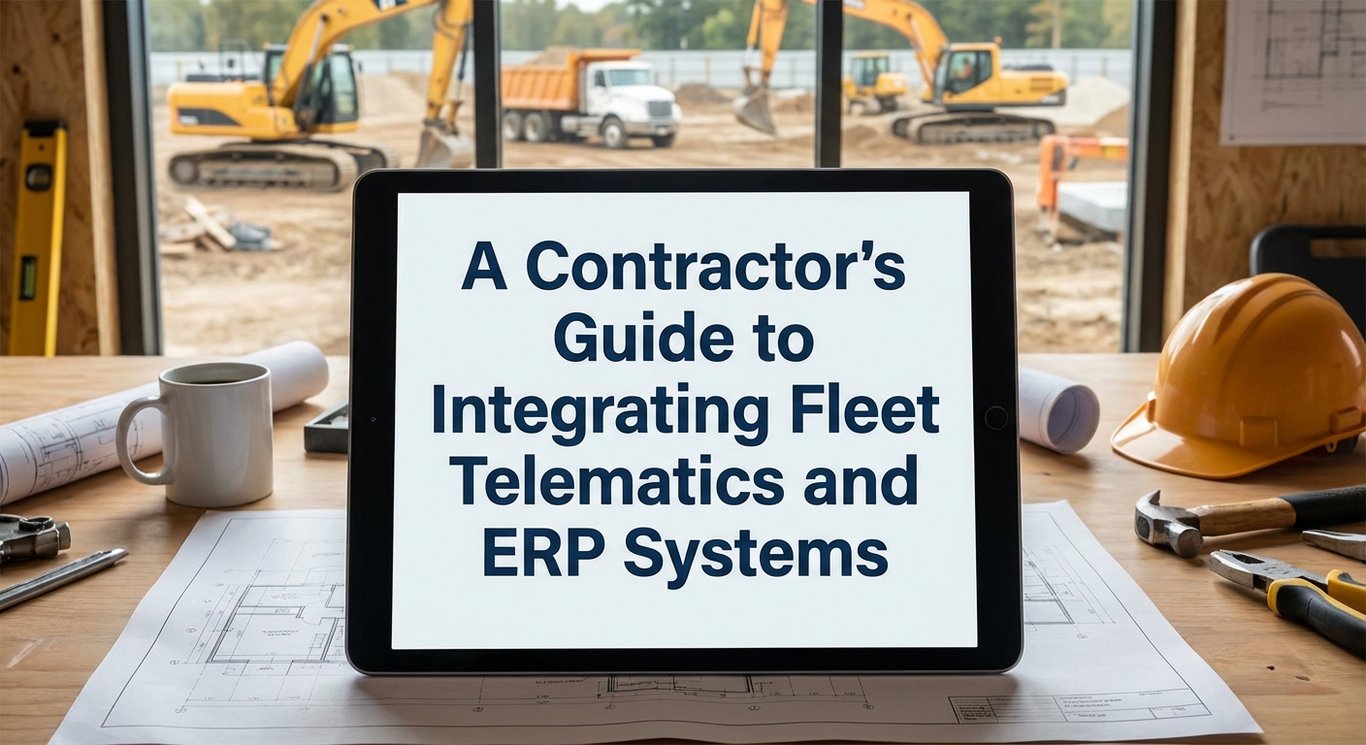
Introduction to Fleet Telematics and ERP Integration
In the modern construction industry, staying competitive means having a firm grip on your data. Fleet telematics systems are the technology that tracks the physical location, movement, and health of your vehicles and heavy equipment. On the other hand, Enterprise Resource Planning (ERP) systems act as the central nervous system for your business, handling everything from accounting and payroll to project management. Individually, these tools are powerful, but they often operate in separate worlds.
For contractors, the real magic happens when you integrate these two systems. By connecting your fleet telematics with your ERP, you bridge the gap between field operations and the back office. This integration allows data to flow automatically between your machines and your financial software. Instead of guessing where your money is going or waiting for paper logs, you get a real-time view of how your fleet impacts your bottom line. It transforms raw data into actionable insights that can save money and time.
Ultimately, integrating these systems improves fleet visibility and operational efficiency in ways that manual tracking simply cannot match. It allows construction companies to automate maintenance schedules based on actual engine hours rather than calendar dates, and it ensures that job costing is accurate down to the penny. 🏗️ This technological handshake creates a streamlined operation where every department, from the job site to the boardroom, is looking at the same accurate picture.
Why Integration Matters for Construction Contractors
One of the biggest headaches for contractors is dealing with siloed data. When your telematics software doesn’t talk to your ERP, your staff is forced to manually enter data from one system to another. This process is not only slow and boring, but it is also prone to human error. A typo in mileage or engine hours can lead to missed maintenance or inaccurate billing, which hurts profitability. Isolated systems create bottlenecks that slow down decision-making and leave managers reacting to problems rather than preventing them.
Integration eliminates the need for this double data entry, creating a single source of truth for the entire company. When the systems are unified, a truck’s odometer reading automatically updates in the ERP, triggering maintenance alerts or billing cycles without anyone lifting a finger. This seamless flow of information reduces administrative burden and frees up your team to focus on more important tasks, like managing projects and growing the business.
Furthermore, a unified platform drastically improves decision-making across departments. When project managers can see real-time equipment utilization alongside financial data, they can make better choices about renting versus buying equipment or bidding on new jobs. It reduces administrative errors and ensures that everyone is working with the most current data available. 📉 By breaking down these data walls, contractors can run a leaner, more efficient operation.
Assessing Your Fleet Needs Before Integration
Before you rush out to buy new software or sign a contract, it is crucial to conduct an honest assessment of your fleet’s specific needs. Every construction business is different; a company focused on earthmoving has different requirements than a paving contractor. You need to identify the key data points that actually matter to your bottom line. For some, this might be strict fuel economy tracking to combat rising costs, while for others, it might be precise location tracking to prevent theft or unauthorized use of heavy machinery.
Once you have identified your pain points, you should define clear objectives for what you want the integration to achieve. Are you trying to automate maintenance? Do you need better job costing? Setting these goals early will help you filter out providers that offer flashy features you don’t need. It helps to create a checklist of “must-haves” versus “nice-to-haves” to keep your search focused and efficient.
Additionally, it is vital to involve all stakeholders in this initial phase, not just the executives. Talk to your mechanics, dispatchers, and project managers to understand their daily struggles. They are the ones who will be using the system every day, so their input is invaluable. By gathering feedback from the field and the office, you ensure that the solution you choose solves real problems rather than creating new ones. 🤝
Choosing the Right Telematics Provider for Your Business
Selecting the right telematics provider is a high-stakes decision that requires careful evaluation. You should look for a provider that specializes in construction rather than just general trucking or delivery fleets. Construction equipment has unique data points, such as engine hours, idle time, and PTO (Power Take-Off) usage, which generic systems often miss. You also need to ensure the provider offers robust integration capabilities that match your existing ERP software.
“Telematics integration with your ERP eliminates the double-entry problem that kills accuracy and speed for both internal cost allocation and external customer billing.” -Tenna
Scalability is another critical factor to consider. Your business might have 50 vehicles today, but what happens when you grow to 200? The system you choose should be able to grow with you without requiring a complete overhaul. Furthermore, pay close attention to the quality of customer support. When a sensor fails or the software glitches, you need a partner who will answer the phone and resolve the issue quickly, not a call center that puts you on hold for hours.
Finally, be wary of common pitfalls like choosing a system solely based on the lowest price. Cheap solutions often lack compatibility with heavy equipment or offer poor ERP integration, leading to “clunky” workarounds. If the telematics system cannot seamlessly push data to your specific ERP, you will end up right back where you started: doing manual data entry. Invest in a solution that is proven to work with the tools you already have.
Understanding ERP Systems for Fleet Management
An Enterprise Resource Planning (ERP) system serves as the financial and operational backbone of a construction company. In the context of fleet management, the ERP is responsible for tracking operating expenses, depreciation, and the total cost of ownership for each asset. It manages driver information, payroll, and compliance data, ensuring that the business side of the fleet is running as smoothly as the engines. Without an ERP, it is nearly impossible to get a clear financial picture of your fleet’s performance.
One of the most powerful features of modern ERP systems is their ability to integrate with a Computerized Maintenance Management System (CMMS). When these modules work together, they can automate the entire maintenance workflow. For example, when a telematics device reports a fault code, the ERP can automatically generate a work order, check if the necessary parts are in inventory, and schedule the repair. 🛠️
This level of automation ensures that preventive maintenance is never skipped due to oversight. It helps fleet managers keep vehicles healthy and safe while controlling costs. By centralizing this data within the ERP, you can easily run reports to see which vehicles are costing the most to maintain and make data-driven decisions about when to retire aging equipment.
Integration Requirements and Compatibility
Seamless integration is more than just two systems existing on the same computer; it requires a sophisticated digital handshake. True integration typically relies on an Application Programming Interface (API), which acts as a bridge allowing different software programs to talk to each other. You should look for cloud-based accessibility, which ensures that data is synchronized in real-time, regardless of where your team is located. Automatic updates are also essential so that your connection doesn’t break whenever one vendor updates their software.
[cta-call:Call2]
“When shopping for a provider, you must evaluate how well their system talks to your existing software. It should integrate smoothly with your current maintenance programs and Enterprise Resource Planning (ERP) systems to avoid double data entry.” -Nektar.io
When evaluating potential partners, you need to verify their integration capabilities deeply. Don’t just take a salesperson’s word for it; ask for a demonstration of how the data flows from the telematics unit to the ERP. You want to see data populating fields automatically. If the “integration” requires you to download a spreadsheet from one site and upload it to another, that is not a true integration-it’s a manual export.
Be on the lookout for red flags such as clumsy workarounds or limited data access. If a provider says they can only share location data but not engine diagnostics or fuel usage, the value of the integration drops significantly. 🚩 A robust system should offer a comprehensive two-way flow of information, ensuring that your operations team and your finance team are always looking at the same numbers.
Implementation Strategy and Phased Rollout
Implementing a new integrated system is a major project that requires a strategic approach. It is best to break the process down into manageable steps: hardware installation, software configuration, and team training. Trying to do everything at once is a recipe for chaos. Start by mapping out a timeline that includes buffer time for unexpected technical glitches, because they will happen.
A phased rollout is often the smartest strategy for construction companies. Instead of installing devices on every single piece of equipment in one week, start with a pilot program. Pick a small group of vehicles or a specific job site to test the system. This allows you to iron out any bugs, refine your settings, and get your team comfortable with the technology before you deploy it company-wide.
Once the pilot program is running smoothly and you have validated the data flow, you can begin the full deployment. This controlled approach reduces stress on your staff and ensures that operations continue smoothly during the transition. It also gives you some “early wins” to show the rest of the company, which helps build excitement and buy-in for the new system.
Hardware Installation and Mechanical Training
The physical side of telematics involves installing tracking devices and sensors on a wide variety of equipment, from pickup trucks to excavators. Each machine type may require a different installation method and mounting location to ensure the device is secure and gets a good signal. It is important to coordinate these installations to minimize downtime, perhaps scheduling them during routine maintenance or off-hours.
“ERP integration connects telematics and asset management platforms with accounting systems, allowing equipment usage, job codes, internal cost entries, external billing entries, and payment status to transfer automatically for a seamless, end-to-end financial workflow with fewer errors and faster billing cycles.” -Tenna
Your mechanics play a crucial role in this process, so training them is non-negotiable. They need to know how to install the devices correctly, but more importantly, they need to know how to verify that the device is reporting data. If a device stops working, your mechanics should be the first line of defense in troubleshooting the issue.
Beyond installation, mechanics need to understand how to interpret the telematics data. They should be trained on how to read diagnostic codes that come through the system and how to prioritize repairs based on that data. When your maintenance team understands the technology, they can use it to keep the fleet running at peak performance, rather than seeing it as just another gadget to deal with.
Configuring Software and Setting Up Permissions
Once the hardware is installed, the focus shifts to configuring the software to match your specific workflow. This means customizing dashboards so that the most important information is front and center. You should also set up appropriate permissions and access levels. For instance, a site foreman needs to see equipment location and status, but they probably don’t need access to the company’s financial records in the ERP.
Setting up alerts and Key Performance Indicators (KPIs) is a powerful part of the configuration process. You can set triggers for speeding, harsh braking, or excessive idling. However, there is a fine line between being informed and being overwhelmed. If you set up too many alerts, your phone will never stop buzzing, and you will eventually start ignoring them all.
To avoid this “alert fatigue,” focus on the critical few metrics that drive your business goals. Start with the most important safety and cost-saving alerts. You can always add more later as your team gets used to the system. The goal is to create a clean, usable interface that helps your team work smarter, not harder. 🖥️
Training Your Team Across All Departments
Technology is only as good as the people using it, which is why comprehensive training is essential. This shouldn’t be a one-time meeting; it needs to be tailored to each role. Drivers need to understand how the system works and, crucially, that it is there for safety and efficiency, not just to spy on them. Dispatchers need to know how to use the live map to route vehicles efficiently, while management needs to understand how to pull reports.
“Implementing a robust telematics strategy can reduce fleet downtime by as much as 30%.” -Nektar.io
Ongoing support mechanisms are just as important as the initial training. Create a channel where employees can ask questions or report issues without fear of judgment. It is helpful to identify “super users” within your team-tech-savvy employees who can help their peers and champion the new system. Their enthusiasm can be contagious and help others get on board.
Finally, encourage knowledge sharing across departments. When the maintenance team shares how telematics data helped them prevent a breakdown, it reinforces the value of the system to everyone. Continuous education ensures that your team adopts the technology fully, maximizing your Return on Investment (ROI) and making the integration a long-term success.
Data Migration and System Transition
Moving data from your old legacy systems to a new integrated platform can be a daunting task, but it is necessary. You will need to work closely with your software providers to facilitate a smooth migration. This involves mapping out where your old data lives and deciding what needs to move over. You don’t necessarily need to keep every scrap of data from ten years ago, but you do need historical maintenance records and asset details.
Data validation is a critical step in this process. Before you flip the switch, you must ensure that the data being moved is accurate and consistent. “Garbage in, garbage out” is a real risk here; if you migrate bad data, your new system will give you bad insights. Take the time to clean up your lists of assets, employees, and parts inventory before the move.
During the transition period, aim to minimize disruption to your established practices. It might be necessary to run both systems in parallel for a short time to ensure everything is capturing correctly. This safety net allows you to catch any discrepancies before you fully commit to the new platform, ensuring that your business operations don’t skip a beat.
Monitoring Performance and Key Performance Indicators
After the system is live, you need to establish baseline metrics to understand where you started. Look at your historical data for fuel usage, idle time, and maintenance costs. These baselines will serve as the yardstick you use to measure your success. You should track these KPIs regularly-weekly or monthly-to see if the new system is delivering the expected results.
“Software integration allows construction companies to create a harmonious data flow by linking their fleet management platforms with third-party applications, ERP systems, payroll solutions, and more. This cohesive environment streamlines operations and eliminates data silos.” -Teletrac Navman
Integrated systems provide real-time reporting and dashboards that make this monitoring easy. Instead of digging through spreadsheets, you can see a visual representation of your fleet’s health. Analytics tools can highlight trends that you might miss otherwise, such as a specific brand of truck that requires more repairs than others.
Use these insights to make actionable changes. If the data shows that idling is costing you thousands of dollars a month, you can implement a driver coaching program. If the data shows that utilization is low on certain machines, you might decide to sell them. The power of integration is that it turns data into a roadmap for efficiency. 📊
Continuous Optimization and System Improvement
Integration is not a “set it and forget it” project; it requires a mindset of continuous optimization. As your team gets comfortable with the basics, you should start looking for deeper ways to improve. Use the performance data to identify new bottlenecks in your operation. Maybe your dispatching could be tighter, or your parts inventory could be leaner. The system will reveal these opportunities if you keep looking.
As your fleet grows or changes, your system needs to scale with it. You might add new types of equipment that require different sensors or data points. Regular reviews of your system configuration ensure that it continues to meet your needs. Don’t be afraid to adjust settings or permissions as your business evolves.
Also, stay updated with your vendor’s roadmap. Software companies are constantly releasing new features and improvements. By staying in the loop, you can take advantage of new tools that can further streamline your operations. Continuous learning ensures that you are always getting the maximum value out of your investment.
Cost Management and ROI Calculation
One of the primary benefits of integrating ERP and telematics is the granular level of cost tracking it provides. You can see exactly how much each vehicle costs to operate per hour or per mile. This includes fuel, tires, preventive maintenance, and unexpected repairs. Having this detailed data allows you to bill clients more accurately and identify areas where money is leaking out of the business.
This data is invaluable when it comes to lifecycle management. There comes a point for every machine where it becomes too costly to keep running. The integrated system can flag vehicles that have exceeded a certain cost threshold, helping you make strategic decisions about replacement. Instead of guessing, you have hard numbers to justify buying new equipment.
Ultimately, calculating the ROI of your integration involves looking at both hard savings and soft savings. Hard savings include reduced fuel consumption and lower maintenance costs. Soft savings include time saved on data entry and better decision-making. When you add it all up, the return on investment for a well-integrated system is usually substantial, paying for itself many times over. 💰
FAQ
What are the main benefits of integrating telematics and ERP systems for contractors?
The primary benefits include significantly reduced equipment downtime and improved cost control through automated data flow. Integration provides real-time visibility into fleet operations, allowing for automated maintenance scheduling based on actual usage rather than guesswork. Furthermore, it eliminates the need for manual data entry, which removes data silos and drastically reduces administrative errors.
How long does it typically take to implement an integrated telematics and ERP system?
The timeline varies greatly depending on the size of your fleet and the complexity of your existing systems, but it generally takes anywhere from a few weeks to several months. A phased approach, where you start with a pilot program, allows for a faster initial deployment while the rest of the fleet is brought online gradually. Proper planning and data cleaning beforehand can significantly speed up the process.
What should I look for when evaluating telematics providers?
You should prioritize providers that specialize in construction and heavy equipment, as they understand the unique needs of the industry better than generic fleet providers. Look for strong, proven integration capabilities with your specific ERP system and a scalable platform that can grow with you. Additionally, high-quality customer support and a vendor that invests in Research & Development (R&D) are critical for long-term success.
Can existing systems work with new telematics and ERP platforms?
Yes, in most cases, existing systems can be made to work with new platforms, provided they have open API capabilities. It is crucial to verify compatibility early in the selection process to ensure that your current software can “talk” to the new telematics hardware. A good provider will be able to demonstrate how their solution integrates with legacy systems or guide you on necessary upgrades.
How do I measure the success of my integration project?
Success is measured by establishing clear baseline metrics before you start and monitoring Key Performance Indicators (KPIs) regularly. You should track specific data points such as fuel savings, reduction in idle time, decrease in administrative hours, and improvement in equipment uptime. Comparing these performance metrics before and after implementation will give you a clear picture of your ROI.
Conclusion
Integrating fleet telematics with your ERP system is more than just a technological upgrade; it is a critical investment in the future of your construction business. In an industry where margins can be tight and timelines are strict, having real-time visibility into your operations is a game-changer. This integration transforms the way you manage your fleet by automating maintenance, streamlining financial tracking, and providing the data needed to make smart, profitable decisions. While the process requires careful planning and a commitment to training, the result is a more efficient, transparent, and resilient operation.
To get started, take a hard look at your current fleet management processes and identify where the gaps are. Are you still relying on paper logs? Is your data stuck in silos? Once you know what you need, begin conversations with telematics and ERP providers who specialize in construction. Ask the tough questions about integration and support. By developing a customized integration strategy that aligns with your specific business objectives, you can unlock the full potential of your fleet and position your company for sustainable growth. 🚀